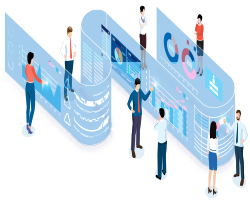
IT Consultation are said to use expertise and technology to create a comprehensive improvement of technology in the direction of digital transformation and system optimization.
In this regard, business goals are prioritized, for example, reducing human error, improving the system, and increasing efficiency are prioritized. The mission of strategic IT consulting is to automate and digitize operations, optimize software, and deliver and implement the latest technologies.
IT consulting services help you improve software architecture, software optimization, create digital strategy and improve system performance.
Infrastructure design, planning, budgeting of needs is among other things that can be provided in this service.
What is the difference between IT services and IT consulting?
IT services are deliverable products. For example, it could be a website or a service that eventually leads to a product offering.
But IT consulting services are different. The following steps are for this: assessment, identification of needs, consultation for the best solution. IT consultants are often hire by IT service companies
Facilitate business growth and success at any level with IT consulting services.This service ensures that you get expert advice and continue to work with excellent support and management.
Another one of them is architectural planning consultation.
These services include consulting services, strategic plans, and emerging technologies. In this service, logically design the network environment and infrastructure for migrating to emerging technologies, will examine.
Consulting helps develop a clear and strategic roadmap with priorities for business goals.
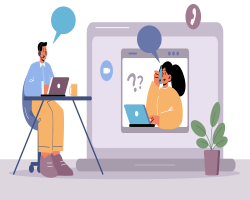
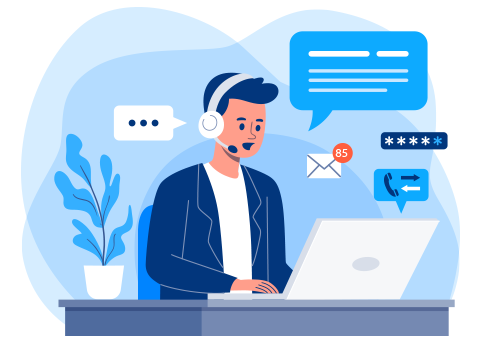
This Service includes technical support and customer assistance by phone, in person and remotely. This service is offered monthly or once. You can discuss the problems with the service team by email or chat and get the necessary guidance as soon as possible.
The main purpose of the Help Desk Service is to ensure customer satisfaction and the ability to operate any machine you may have a problem with.
What is an IT Help Desk?
IT Helper hire with the department Service and help their customers for computer, hardware, or software problems when a problem occurs. The IT Technician must have sufficient knowledge and awareness to interact with the customer and be able to understand the customer’s needs and solve their problems as quickly as possible.
They often receive the first contact from users based on chat, email, or phone call. An IT Technician is responsible for providing support, troubleshooting, or technical assistance. They interact with their customers to solve problems and help them to solve the problem.
What happened when you contacted the IT help desk?
At this stage, technicians get your issue with email, chat, or telephone and they process it, they will contact you for technical assistance by phone or email. They perform remote troubleshooting, through diagnostic techniques and related questions, and then provide the best solution based on the issue and details that customers have mentioned.
Some process examples for Help Desk Services
Receive calls for customers seeking technical assistance via phone or email.
Remote troubleshooting through diagnostic techniques and related questions.
Providing solutions based on the topic and details provided.
Help the customer to solve the problem.
What is Help desk software?
It is software that enables a company or an individual to support its customers in the shortest possible time.
One of the main topics of computer networks is Network Security. After configuring and deploying the hardware, we must pay special attention to this topic. In this section, we will examine the following:
What is computer network security?
Wireless networks
Firewall
What is computer network security?
It includes things like software used, data stored, and information theft.Everything that is used in a computer network system (both software and hardware) must be protected against attacks and risks.
Three principal factors are needed in the security of a computer network, these three factors (CIA) are the basic principles of information-security in information storage and exchange environments.
Confidentiality
integrity
Availability
Confidentiality:
That is, the information should be available only to those who need it.For example, leaving part of a company’s confidential file
Integrity:
Just authorized persons or instructions can change system
authorized people or processes cannot change system without permission and without reason,
It is necessary to maintain the integrity of information inside and outside the system, and it must be the same inside and outside the system, and if the information changes, they must be aware of it both inside and outside the system.
Availability:
Information should always be available and able to do its job, and there should never be a factor that disrupts the system’s work.For example, if the power goes out and we don’t have a solution for it, this system is not safe.
There are many concepts in the discussion of network security, which can be mentioned as these basic concepts:
Identification: requesting identification when the user accesses the system,
Authentication: specifying the user’s identity
Authorization: the level of user access to resources.
Accountability: ability to audit system performance
If you are interested in seeing some learning, you can click here.
In fact, we call a supercomputer or a computer with extremely performance as a server, so it is a computer or a program that can provides services to the programs installed on the user’s computer or another computer.
It can refer to a physical machine, virtual machine, or software that performs services. We can use them for various purposes, we can change according to our needs.
What Types we have?
Servers can be divided into physical and virtual
Physical: like a physical computer, but it works much more powerfully and is used to run server software.
Virtual: is software that runs on a host, and we can adjust the amount of memory, processor and change all its elements. If you want to know more about virtual servers, you can read this post.
Their hardware usually performs much more complex tasks with a higher traffic load, so hardware manufacturers design them to support more additional components,for example, additional power supplies, additional network interfaces, and more memory ports allow it to continue working if one of them fails.
The design of their hardware is usually different from the hardware of a desktop.
Manufacturers are designing Desktop computers in the form of small towers and to place under the table, but usually some manufacturers design to lie flat too.
However, some manufacturers still offer tower servers, but most of manufacturers are designing to mount on the rack.
Some examples of different:
WebServer: You interact with a variety of internet servers because you see this page, or download, or upload an app.
EmailServer: If you have Gmail or Yahoo, you are using an email server to access your email account.
PrintServer: It can manage print files and printers and can control them.
GameServer: To load an online video game, you must connect to the server. Each game can have its Own Server.
ProxyServer: we can filter content, increase the speed, prevent unauthorized users, and ensure the safety of data.
VideoServer: Netflix and YouTube are using a video server and these servers can store Movies and TV shows as data.
The Microsoft Office 365 Administration Center is a web-based portal administrator. We use this portal to manage accounts and configure services such as Intune, SharePoint, Teams, Exchange, OneDrive, and all office products. In this part, we want to create user in Microsoft 365 with Admin Center.
Users section: create, delete, manage users, set permissions, edit user details, and reset passwords.
Groups section: create, organize, manage, and delete groups
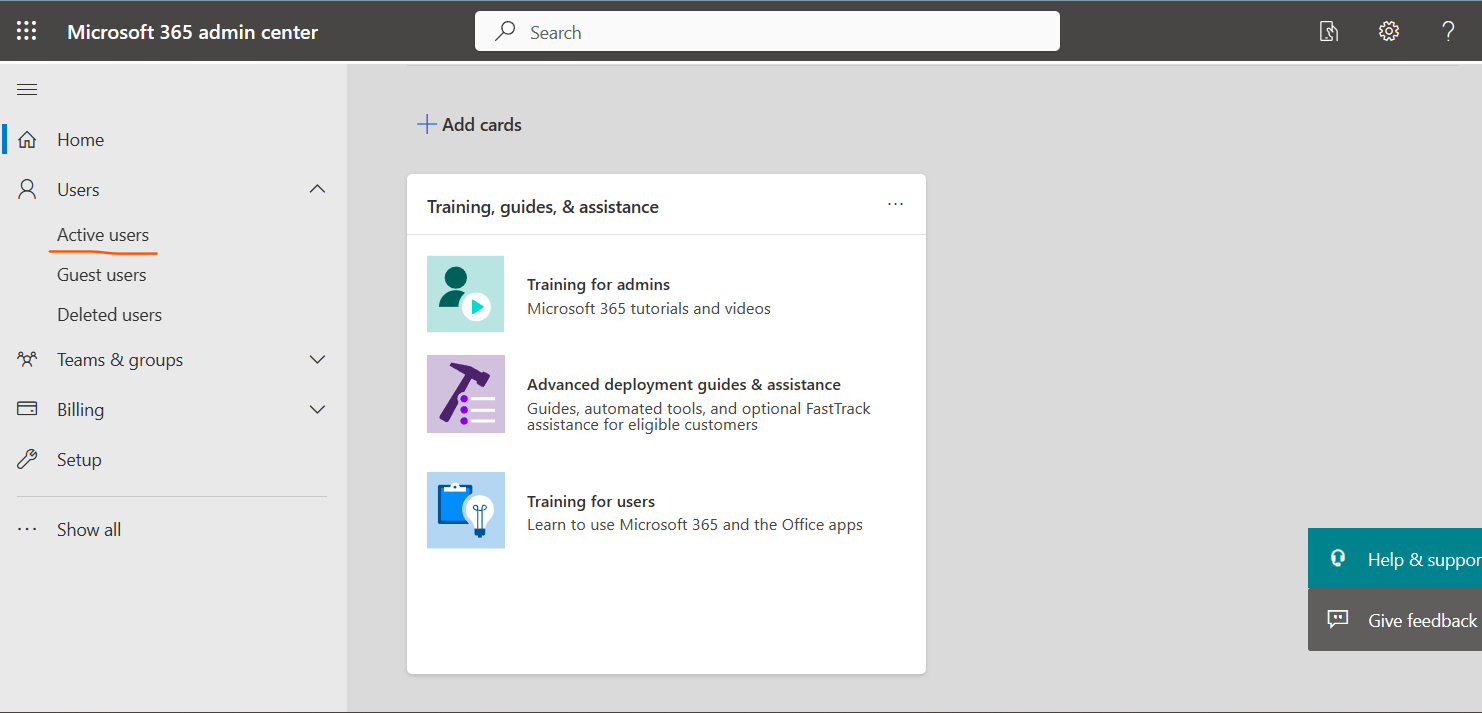
With the Admin role we can login and try to create users. For starting we login to this link. https://admin.microsoft.com/
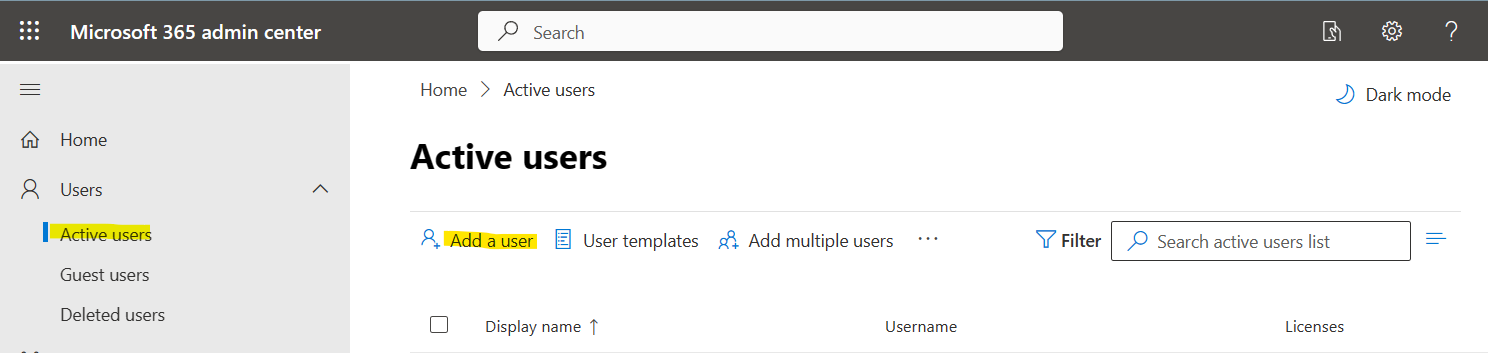
In the menu we click on User\Active users
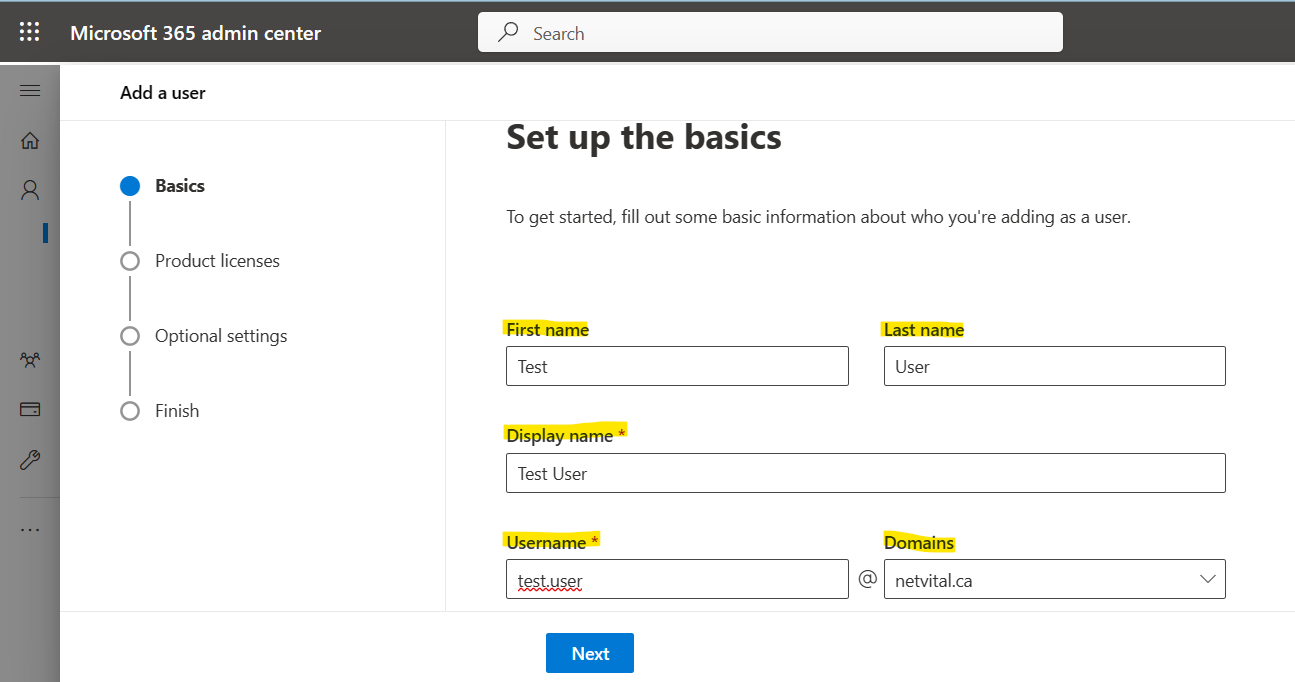
In this part, we need: First Name-Last Name-Display name and Username
Username should be unique and if we had before same username, we get error, last one is Domains, if we have several domains, in this part we can select each one that we want to create user with that.
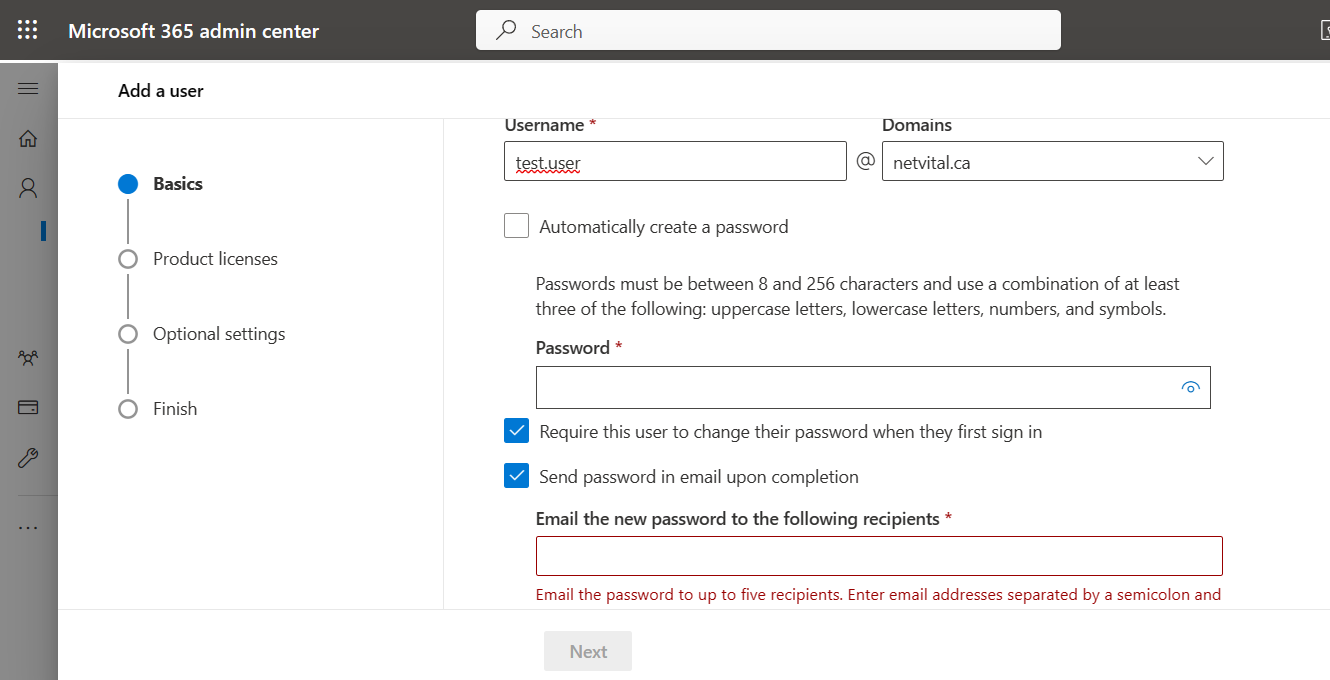
at the end of page, we have three options:
First option: we can create password as we want or create Automatically,
Second option: if we want user change password at the first login, we can select next one,
Third option: and if we want to send password by email, we can select the last one.
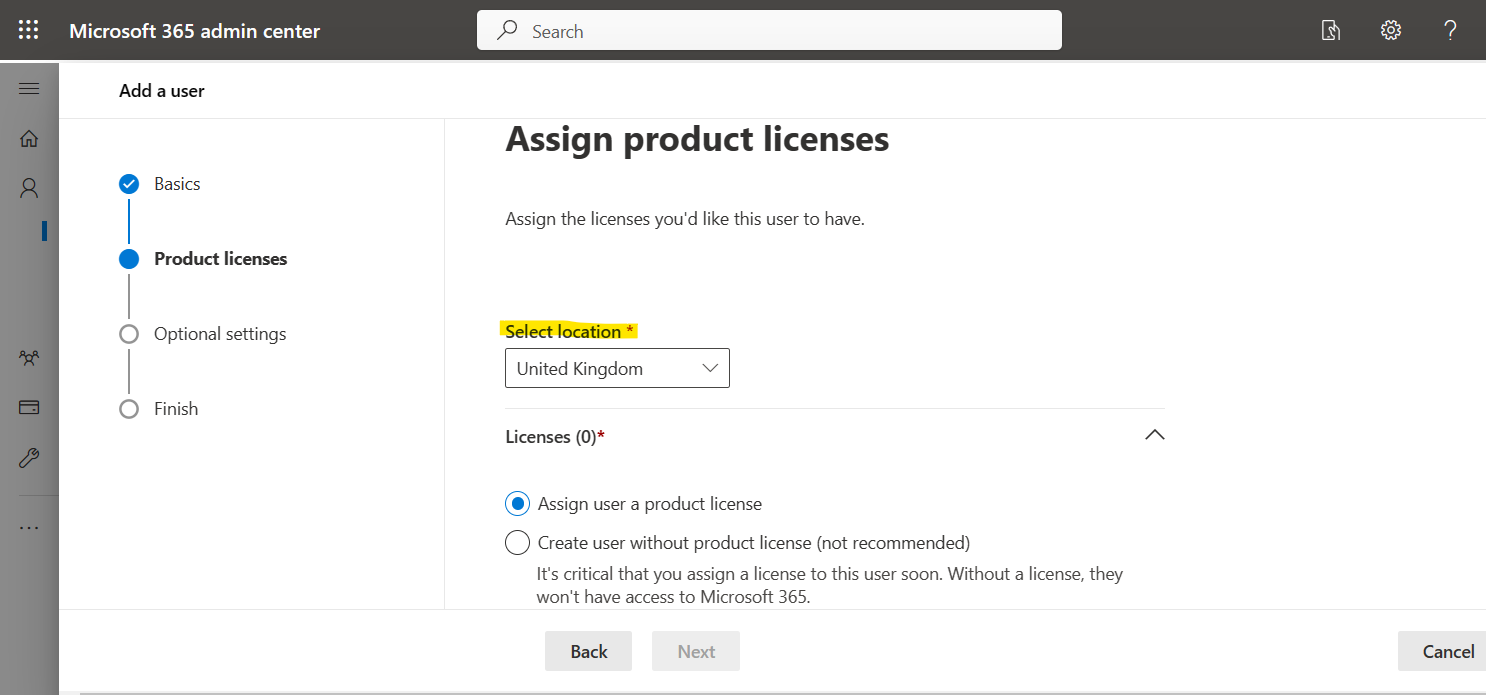
in next page, we can select location and assign licence:
Microsoft has many licence for many different uses:
In this part you can compare all licence and you can buy best product that you need:
The next page is optional:
If the user that you are creating, you want to assign a role like Admin, you can assign here, or you can assign after, if not you can skip this part.
there is some role to assign:
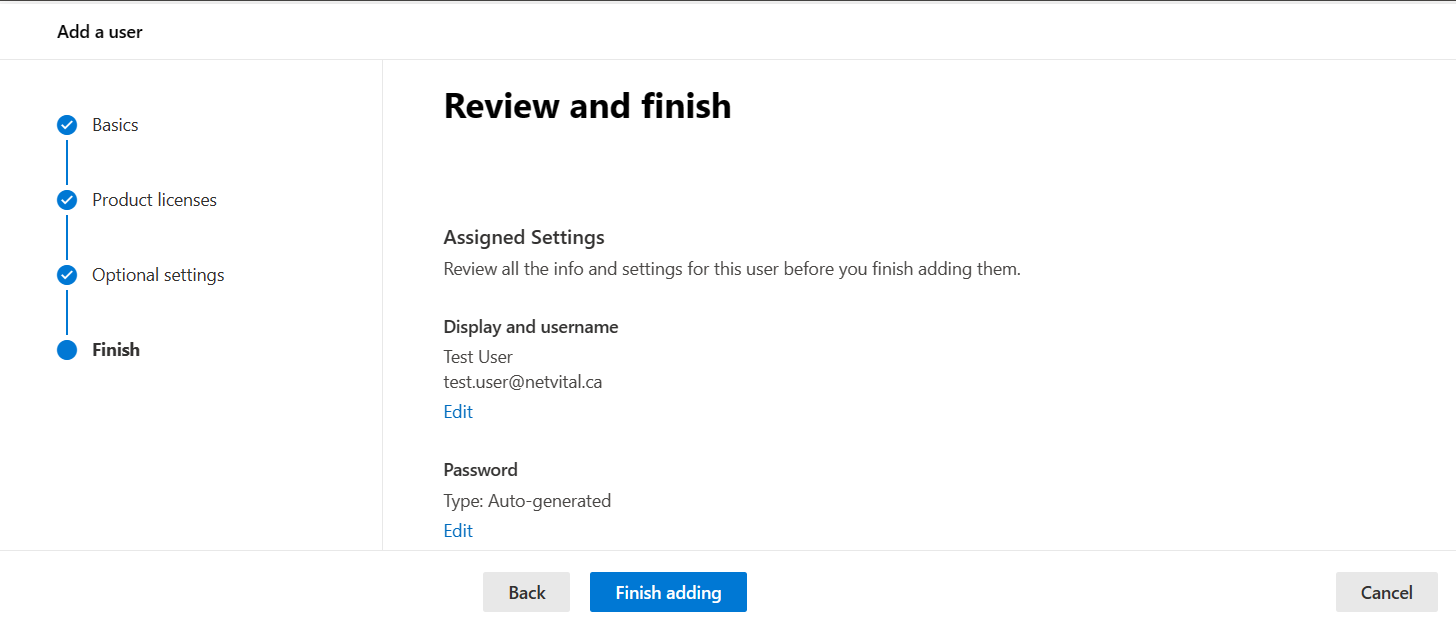
And last page is Review and finish:
in this page, you can check all information and if was ok you can Finish adding.









 In this part you can compare all licence and you can buy best product that you need: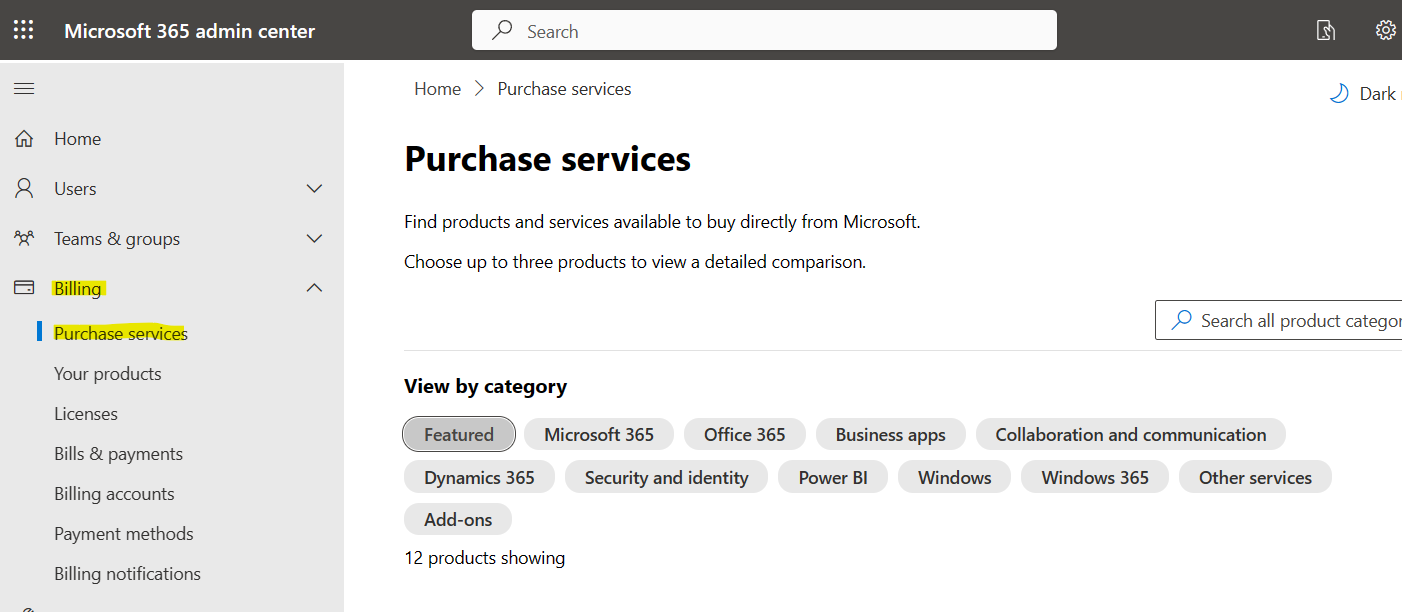
 there is some role to assign: