در این آموزش می خواهیم دی ان اس را روی ویندوز سرور نصب کنیم، اما قبل از آن، می خواهیم بدانیم که چیست و چرا از آن استفاده می کنیم؟
چیست؟ DNS
فرآیندی برای آدرس دهی نام دامنه به آدرس آی پی است. از آنجایی که به خاطر سپردن آدرس آی پی مشکل است، می توانیم از این فرآیند برای در نظر گرفتن نام برای هر آدرس استفاده کنیم و زمانی که نام دامنه را تایپ می کنیم، آدرس آی پی به طور خودکار فراخوانی می شود
چرا از آن استفاده می کنیم؟
ما از این فرآیند برای همه دستگاه های متصل به اینترنت استفاده می کنیم و کار با اینترنت بسیار مهم است. معمولاً نیازی نیست نگران این موضوع باشید یا کار خاصی انجام دهید، زیرا آی اس پی به طور خودکار آدرس سرور دی ان اس را توسط آن برای شما ترجمه می کند
DNS نصب
.می توانید فیلم مربوطه را از کانال یوتوب ما تماشا کنید
با کلیک کردن در اینجا می توانید سایر موارد آموزشی را برای ویندوز سرور بیابید
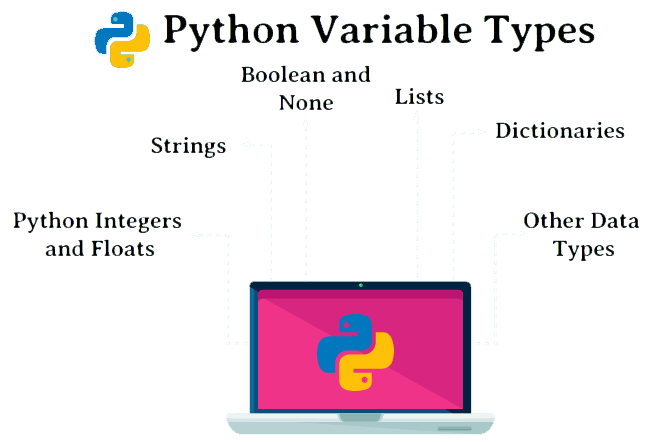
The programing languages store data in the form of Variables. Every variable has data type, name, and a value assigned to it. Variables are assigned places in the computer memory to store data in which they can be known or unknown based on the value given to them. Also, they can be used for more than one value. They can tag and store data in memory and we can recall them when we need them. In this section, we want to introduce the most used Variables in Python. In Python, we have four commonly used groups of variables, which are integers, decimal numbers, strings, and binary (true or false).
int
float
str
bool (binary)
Variables in Python – int:
this variable is for integers number such as 0-9:
For example:
We assign number ‘5’ to ‘a’:
>>> a=5
>>> type (a)
<class ‘int’>
If we try to back integers of a float number, we try this command:
>>> int (4.9)
4
>>> int (4)
4
also, with can use general math with Python:
>>> 6*8
48
>>> 8+6
14
>>> 15*5.1
76.5
>>> 21//3
7
>>> 21/3
7.0
>>> 21%3
0
>>> 22%3
1
>>> 2*5
10
>>> 2**5
32
Float:
We assign number ‘4.5’ to ‘b’:
>>> b=4.5
>>> type (b)
<class ‘float’>
>>> float (5.5)
5.5
>>> float (5)
5.0
>>> int (float(5.5))
5
If we want to have more math command, we can use ‘math’:
>>> import math
>>> math.ceil(5.5)
6
>>> math. Sin (6)
-0.27941549819892586
>>> math. Cos (6)
0.960170286650366
String:
We assign ‘hello’ to ‘c’:
>>> c= ‘hello’
>>> type (c)
<class ‘str’>
for indexing in String, we must now three steps: [start:stop:step], all command to use for String is inside these three steps:
indexing [start:stop:step]
>>> c
‘hello’
Show first character:
>>> c[0]
‘h’
Show Second character:
>>> c[1]
‘e’
Show third character:
>>> c[2]
‘l’
Show last character:
>>> c[-1]
‘o’
Show first three character:
>>> c[0:3]
‘hel’
>>> c[0:2+1]
‘hel’
Show each 2 character like 1.3.5….:
>>> c[::2]
‘hlo’
Show reverse character:
>>> c[::-1]
‘olleh’
If we want to have more math command, we can use ‘String’: