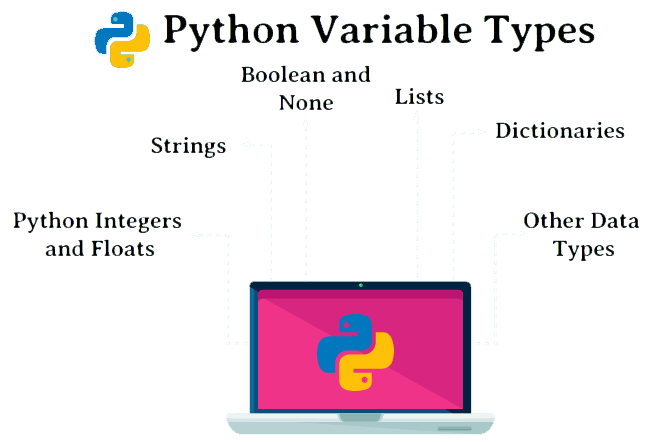
The programing languages store data in the form of Variables. Every variable has data type, name, and a value assigned to it. Variables are assigned places in the computer memory to store data in which they can be known or unknown based on the value given to them. Also, they can be used for more than one value. They can tag and store data in memory and we can recall them when we need them. In this section, we want to introduce the most used Variables in Python. In Python, we have four commonly used groups of variables, which are integers, decimal numbers, strings, and binary (true or false).
int
float
str
bool (binary)
Variables in Python – int:
this variable is for integers number such as 0-9:
For example:
We assign number ‘5’ to ‘a’:
>>> a=5
>>> type (a)
<class ‘int’>
If we try to back integers of a float number, we try this command:
>>> int (4.9)
4
>>> int (4)
4
also, with can use general math with Python:
>>> 6*8
48
>>> 8+6
14
>>> 15*5.1
76.5
>>> 21//3
7
>>> 21/3
7.0
>>> 21%3
0
>>> 22%3
1
>>> 2*5
10
>>> 2**5
32
Float:
We assign number ‘4.5’ to ‘b’:
>>> b=4.5
>>> type (b)
<class ‘float’>
>>> float (5.5)
5.5
>>> float (5)
5.0
>>> int (float(5.5))
5
If we want to have more math command, we can use ‘math’:
>>> import math
>>> math.ceil(5.5)
6
>>> math. Sin (6)
-0.27941549819892586
>>> math. Cos (6)
0.960170286650366
String:
We assign ‘hello’ to ‘c’:
>>> c= ‘hello’
>>> type (c)
<class ‘str’>
for indexing in String, we must now three steps: [start:stop:step], all command to use for String is inside these three steps:
indexing [start:stop:step]
>>> c
‘hello’
Show first character:
>>> c[0]
‘h’
Show Second character:
>>> c[1]
‘e’
Show third character:
>>> c[2]
‘l’
Show last character:
>>> c[-1]
‘o’
Show first three character:
>>> c[0:3]
‘hel’
>>> c[0:2+1]
‘hel’
Show each 2 character like 1.3.5….:
>>> c[::2]
‘hlo’
Show reverse character:
>>> c[::-1]
‘olleh’
If we want to have more math command, we can use ‘String’:
We divide the Types of Network Security into two parts:
Software programs
Hardware parts
The best choice is to use both (software and hardware) together. Software programs such as Anti-worms, Anti-viruses, Firewalls, etc. Hardware components also include firewalls. It can control and scan the input and output ports. Microsoft has provided this feature for its users in Windows, but this software alone does not provide sufficient computer security.
Some examples of strong anti-malware programs are Antivirus, Symantec, Kaspersky, Nod32, Bitdefender, Norton, Panda, Mac
For hardware parts, you can mention Cisco ASA or Astaro Firewall. The best and safest solution for large organizations is to use two hardware devices at the same time, so that if one of them has a problem, the second device can continue working.
One of the most important actions in network security is to prepare a backup copy of information and files on a backup server. In terms of security, if there is an attack and a failure occurs in the files or the system, we must be able to read the backup immediately after cleaning the system.
Security in wireless networks:
in the topic of types of Network Security, since wireless networks are expanding every day and cable networks are becoming obsolete, it is especially important to know the weak points of these networks and find solutions to increase their security.
Here are some security methods that use in wireless networks:
WEP: Wired Equivalent Privacy: In this method, which is suitable for small networks, it blocks users who do not have permission in the network.
SSID: Service Set Identifier: These identifiers are placed in several Access Points and each user must configure the corresponding SSID identifier.
MAC: Media Access Control: In this method, only the computers whose MAC address has already been saved and are part of the list are allowed to access. This method is exceedingly difficult for large networks because all addresses must be stored.
The weakness of wireless networks:
One of the biggest disadvantages of these networks is the borderless coverage of the network structure, which means that vandals can receive its signals near this network and in case of breaking the not so strong security barriers of these networks, they can pretend to be a member of these networks. bring and have the possibility of obtaining vital information and destruction.
Ways to increase the security of systems
Check that the operating system and installed programs are up to date
Checking settings and detecting vulnerabilities
Installing anti-virus programs
Encoding data and files
Control user access to files, for example, edit and delete only specific users, and all users have read-only access.
What are benefit of using Firewall:
We can manage and control policies and services separately
Selection of input and output services to the network
Security control and user access management
Protecting and preventing those who intend to infiltrate the internal network
we can divide Firewalls into several categories:
Circuit-level firewalls: this group disconnects the network connection with the computer behind them and takes the initial response instead of that computer, and if they are satisfied with the security of the connection, then they allow the data to go to the computer. flow This type has good speed because they do not check any data inside the packets
Proxy server firewalls: In this type, information packets are checked in the application layer, and it provides high security by preventing the direct connection of the program with the servers, but this level of checking can lead to the slowness of these firewalls.
No stateful packet filters: These filters allow packets to pass or block them in network layer protocols such as IP or in transport layer protocols such as TCP and UDP headers in the path of a network with a set of rules.
Stateful Packet filters: These filters are much smarter and block all incoming traffic. They create connection records at the transport layer and are the basis of firewall implementation in modern networks. They store source and destination TCP and UDP port numbers, TCP sequence numbers and TCP flags, and can detect application layer protocols such as FTP and HTTP.
Personal firewalls: Personal firewalls are installed on personal computers and are designed to deal with network attacks. The suggestion of installing on personal computers is extremely high
You can find other learning for Network Security by clicking here.
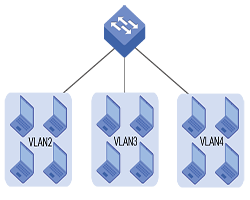
Set of devices within the network that communicates with each other and forms a single local area network. In our concept, by dividing a larger network into smaller networks, each smaller network works like an independent network.
The advantage of this method is reducing excessive network traffic and dividing it into smaller units.
When two devices in the same network send data packets at the same time, the data collides and requires users to wait, we can prevent such collisions by dividing the network.
There is also increased data security and logical partitioning in this method. Each VLAN acts as a single LAN, meaning that partitions do not need to be physically defined, they can be grouped by department, unit, or any other logical topic.
Why would we use a VLAN?
Using it brings many benefits for every company, here are some examples:
Cost reduction: instead of buying several switches and spending a lot of money, we can save money by buying a switch and dividing it into unusual parts.
More flexible: VLANs can be configured based on port, protocol, or subnet, making changes to the network design whenever needed.
Easier control and more monitoring: by dividing workstations into different sections, access to a specific group or a specific user is much faster. When the user moves their desk, we dont need to reconfigure and we can easily make changes through the corresponding panel.
How can we create VLAN?
for creating a VLAN, we can have these minimum parameters:
VLAN number
VLAN name
To create a VLAN, we perform these commands:
Switch# configure terminal
Switch(config)# vlan vlan_ID
Switch(config)# vlan vlan_name
Switch# show VLAN [id | name] vlan_name
Example :
Now we create vlan SALES, please follow these commands:
What is virtualization and what is the use of virtualization?
It is a modern technology in the network and the use of this technology leads to cost and time reduction and increases efficiency and optimization. In this article, we examine the importance of Virtualization.
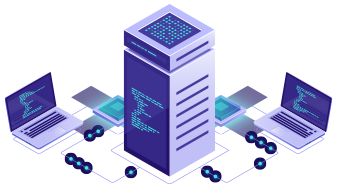
With virtualization, we can create a layer between the hardware of computer systems and the software that runs on it. Of course, in this design, there is a logical view of consumption resources.
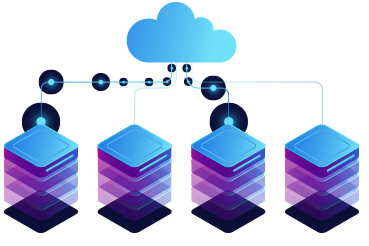
The virtualization solution first gives you the ability to recognize a group of servers as a single source of computing to the operating systems, and secondly allows you to install and use several operating systems such as Windows or Linux on one the server gives simultaneously.
Why should we move towards it?
Due to its many advantages, it has caused software development companies to use this technology in their products, and as most software is used in industries, as a result, to compete with other competitors, it is used. (It has more attention in the industry)
One of the best activities in this field is the integration of physical servers into a single server. Virtualization is the main goal of economic saving in the resources of every company. These days, most companies are looking to implement their server integration projects, and it is obvious that after this change, companies will see significant savings in their costs.
Another advantage of it is the reduction of energy consumption and the ease of managing servers and flexibility, because in a virtual environment, we can manage servers more flexibly.
Virtualization
How does it help our business?
Economic savings,
Business agility,
Clustering,
Partitioning,
Workload Management,
Configuring a group of servers,
Better use of available resources.
The difference between the types of virtualization methods:
Server:
The number and ID of servers, processors and operating systems are hidden from running software.
Network :
Combining the resources of a network and dividing the available bandwidth to specific servers or devices at a time.
Storage :
Combining physical storage spaces with storage spaces of devices in the network as one storage device
Virtualization
VMware is one of the leading companies in the field of virtualization.
PowerShell is a platform that consists of a command line, a programming language, and a configuration manager. You can run it on Windows, Linux, and MacOS. With it, we can do the things that we do graphically in Windows with the command line. in this learning, we want to know, how we can use Shut down or Restart computer by command. let’s start PowerShell (Shutdown-Restart).
First, we open it from the Start menu.
This command will shut down computer as Force without any confirmation:
when we use this command, system will shut down without any confirmation, this command is useful when you want to shut down immediately, we dont have any option to set time, when we use -Force
This command shut down computer and ask for confirmation:
With this command we get a message to confirm shutdown, this command allows us to decide before shutdown. we can select to close all or select to close one by one.
Stop-Computer -Confirm
with option Yes ↓
Option Yes to All ↓
If you want to Restart your computer, you can directly use this command:
This command helps us to restart computers. in this action computer restart immediately and we dont have any option to delay.
In this part we try to activate TPM on VMware, but before that we ask, what is TPM? That’s meanTrusted Platform Module, it is an international standard for secure encryption processors. The function of this microcontroller is to protect the hardware by integrating cryptographic keys. These chips are either integrated into the PC motherboard or added to the CPU.
Its revised version, version 1.2, was released on March 3, 2011, and the latest version is version 2.0
This technology is used to measure system integrity and generate keys. When booting a system, the load boot code records in this chip. It can also be used to reduce phishing attacks because it prevents the key from copying and use.
What are the advantages of using this technology:
Limit generation, storage, and encryption keys
Platform device authentication
Platform integrity
For Starting we can do these steps:
Open VMware and go to Edit virtual machine
in the menu virtual Machine Setting in tab Optionsfind advance
When you click on Advance in Right menu you have UEFI
under that you can find Enable secure boot and you can check mark it
These steps were first setting, now let’s go next setting and next steps
Again, go to Edit virtual machine
in tab Optionsfind Access Control
in Right menu, we have Change Password
we can assign a password
These steps were second setting, now let’s go last setting and next steps
go to Edit virtual machine
At the end of this menu, we have the button Add…
when you click on it, you can add Trusted Platform Module
when you add, you can see Trusted Platform Is Present
Congratulation you done and you added TPM on VMware for your virtual machine

 We divide the Types of Network Security into two parts: